The enquiry goes cold
A promising lead sits in an inbox while you’re busy delivering another job. Without a clear next step, follow-up becomes something to remember.
 SmartOpsLet’s talk ↗
For projects, events & bookings
Your next great project starts long before the shoot, the event, or the handover. Cue brings enquiries, quotes, clients, crew, and delivery into one organized workspace—so the details can move with the work.
Photographers · Studios · Event teams · Project-based services
01 / The problem
A promising lead sits in an inbox while you’re busy delivering another job. Without a clear next step, follow-up becomes something to remember.
The quote is in one file, the crew details in a chat, and the delivery date on someone’s calendar. Every update means checking several places.
Deliverables, invoices, and team payments all need attention after the client-facing work is done. The final steps can be the easiest to lose track of.
02 / Meet Cue
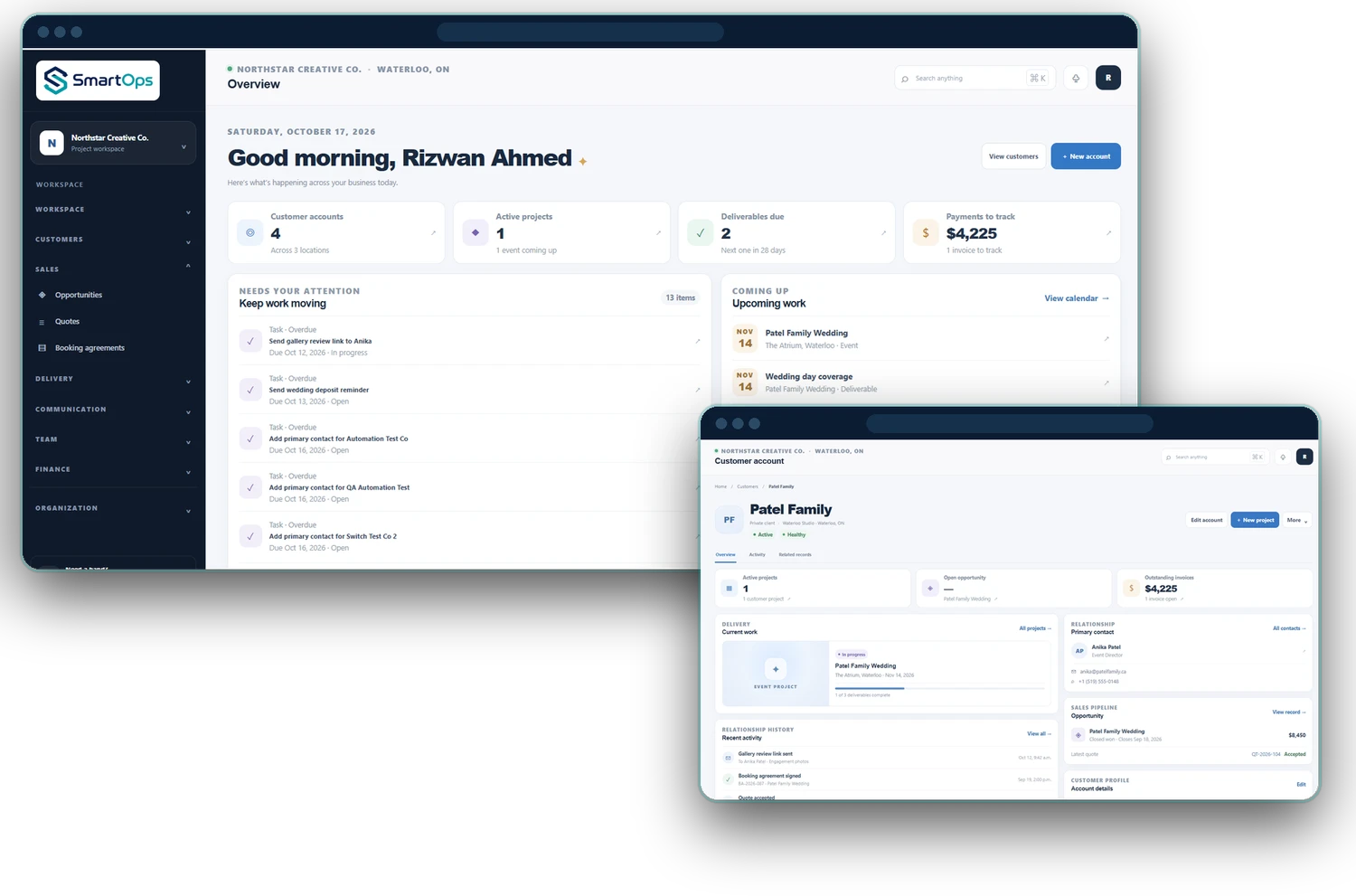
Cue is the operating workspace behind your client work. Follow an opportunity from the first conversation through quotes and contracts, then organize the people, dates, tasks, and deliverables that turn a booking into a finished project.
Instead of treating sales, delivery, and finance as separate jobs, give your team a shared place to see what has been agreed, what needs doing, and what comes next.
A more connected project journey
Built around the way your business works.
03 / Features
Explore how Cue supports the work behind the outcome.
Manage leads and opportunities, prepare clear quotes, and keep contracts alongside the client relationship.
Keep account and contact records with the context your team needs before the next conversation.
Organize projects and events, break down tasks, and track the deliverables you have promised.
Maintain employee details and organize assignments and shifts around the work you have booked.
Use the calendar and email queue to stay on top of upcoming work and outgoing communication.
Review invoices, payroll, and your financial overview without losing the connection to your operations.
04 / What it means for you
Reduce the effort of finding project details and assembling updates from different tools.
Help the next person understand the client, the agreed work, and the outstanding deliverables.
Keep follow-ups, invoices, and project status visible when deciding what needs attention.
Make value measurable
Illustrative example: saving 1 hour each week, valued at $30/hour, equals about $130 of monthly capacity across 4.33 weeks. Against a $99 subscription, that is roughly $31 more in time value than the monthly fee.
This is a scenario, not a measured saving or extra cash revenue. Your result depends on your workflow and use of Cue.
05 / How it works
Create the lead, record the client’s needs, and keep the next follow-up visible.
Prepare the quote and contract so the scope and commercial details are clear.
Set dates, assign people, and organize tasks and deliverables in the project workspace.
Track the handover, review invoicing and payroll, and keep the client history for future work.
06 / A clear starting point
One month free trial. Explore the plan and see how Cue fits your projects before making it part of your everyday work.
07 / Your questions, answered
Choosing the right fit starts with clear answers.
Ask us something else ↗Cue fits businesses that deliver individual projects, events, or bookings—such as photographers, studios, event planners, and other project-based service teams.
Cue centres on individual projects and deliverables. Cadence centres on recurring service contracts, shifts, client sites, and renewals.
Yes. Cue includes leads, opportunities, quotes, and contracts, alongside projects, events, tasks, and deliverables.
You can maintain employee records and organize assignments and shifts. A demo can help you check how those workflows fit your team.
Cue includes invoice and payroll management. We can walk through the workflow so you can assess how it fits your finance process.
Cue is $99 CAD/month with a one month free trial. Visit the pricing page for the current offer.
SmartOps Cue
Tell us about your business. Let’s find the right next step.
See Cue in action ↗